The Silly Apps Graveyard
Plus, why I'm done writing about vibe-coding
Welcome! If you’re new here, please consider signing up for this free newsletter to get more random weird cultural stuff in your Inbox!
I occasionally share little web projects I’ve made now that technology lets me go from an idea to actually releasing something without knowing how to code. After six months, I can’t believe how many people are still playing DOOMscroll. And after nearly two years, even more people are still playing Gisnep!
But sometimes I get far enough on a project to scratch a weird itch, and then abandon it for one reason or another. I thought I’d share a few of those today, starting with a couple games that actually have prototypes you can play.
Your Friendly Neighborhood Pac-Man
If Spider-Man was just a normal guy who got the proportional strength, speed, and agility of a spider after being bitten by a radioactive spider, maybe Pac-Man started out as just a normal guy who got the proportional strength, speed, and agility of a pac after being bitten by a radioactive pac.
What's a pac? I have no idea. But I wondered if I could make a mash-up of Pac-Man and Spider-Man anyway.
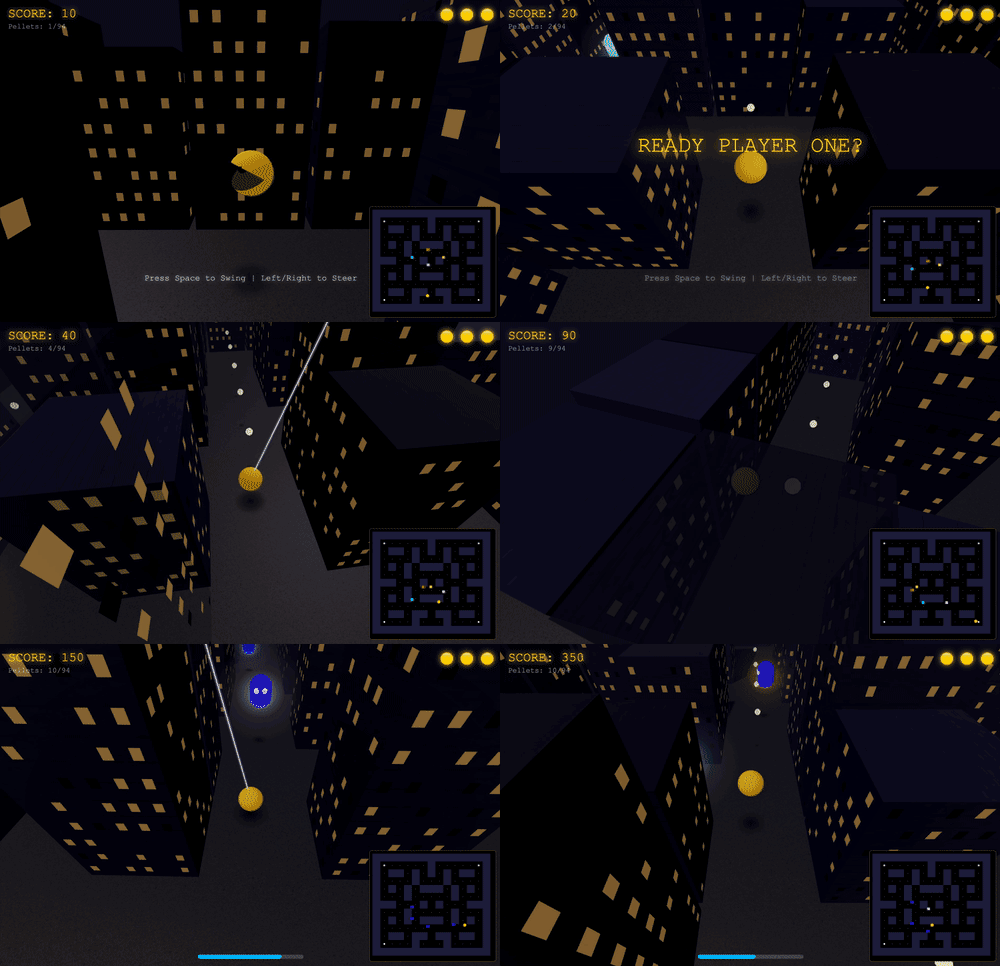
Eventually I came up with a prototype that’s actually fun to play! Pac-Man swings through a city-like maze eating pellets and avoiding ghosts. A more traditional maze map in the corner shows an overview of where everything is.
But once I got it to this kinda-fun playable state, I realized that while this little one-level demo scratched my itch, I didn't think there was enough to it that made it worth developing further.
You're welcome to take a swing at it yourself. You can play the game here.
On mobile, you can switch between on-screen or tilt controls, and tap the map to switch on-screen controls between right or left handed.
Snake, But You’re The One Feeding It
You know the classic Snake game where you control a snake eating apples that make you get longer? I thought there might be a fun game that’s played in reverse, where you don’t control the snake directly, but you’re the one setting out the apples the snake eats.
This approach makes it less of an action game and more of a strategy game because you have to think about where the snake will go and plan ahead so it doesn’t run into itself as it gets bigger.
I called the game SINS which stands for SINS Is Not Snake, and doubles as a sideways reference to the snake in Genesis.
Here’s me testing the game inside the level editor to show you what it looks like. You can watch me set the apples in advance and then the snake goes after them in order, picking up keys that unlock gates so it can get to the exit:
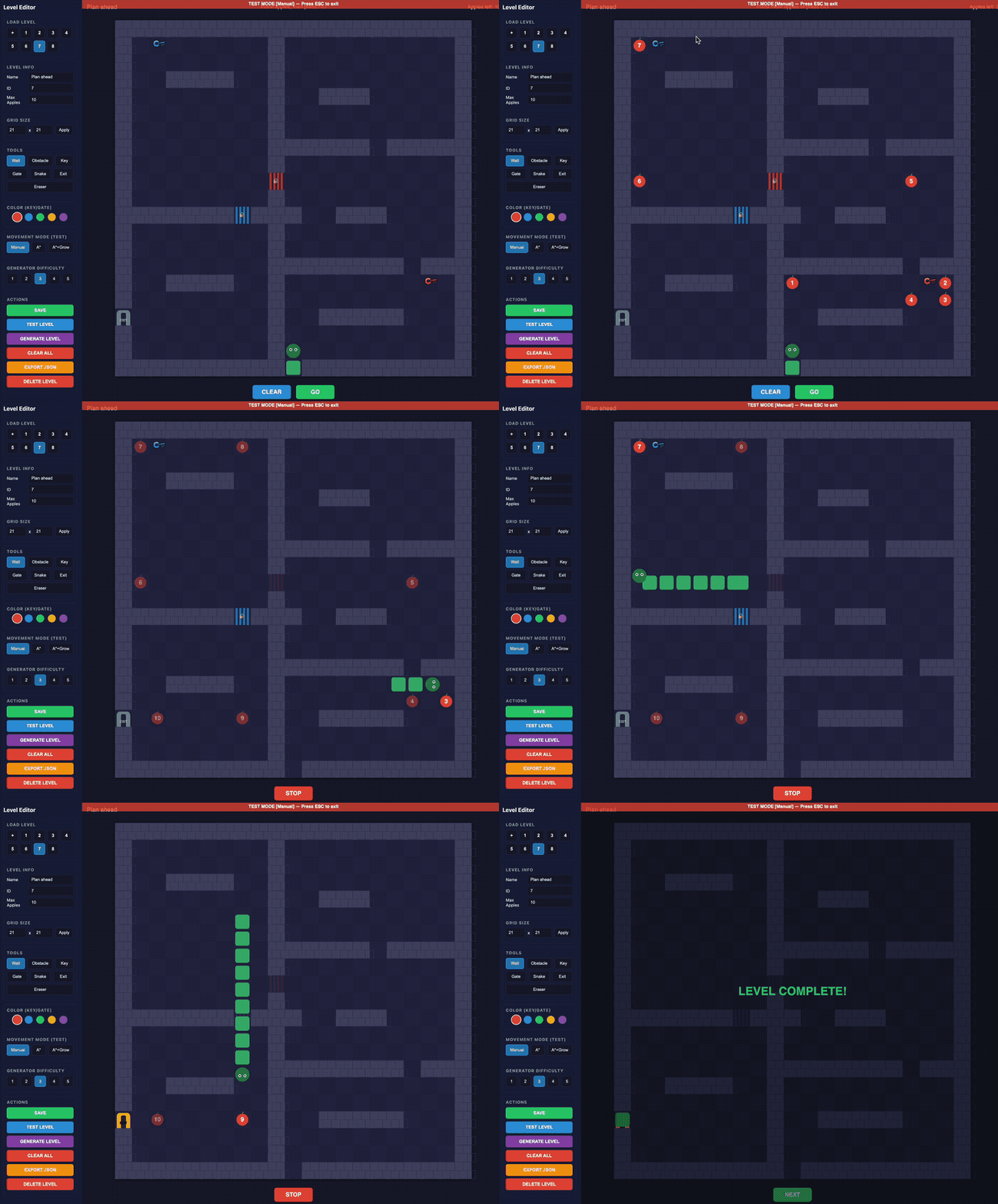
The level editor also lets me try out different gameplay rules. There is the variation seen above where you plan the snake’s entire path in advance turn by turn. Then there’s a version where the snake does more pathfinding on its own, going around obstacles as needed and you just set the next destination. There’s a version where you place the apples in real time while the snake is already moving; one where the higher the apple number, the more segments get added to the snake. And so on. I was trying to figure out what has the best challenge-to-fun ratio.
Ultimately I decided that while there was definitely something to the puzzle gameplay, it just wasn’t as fun as original Snake, and didn’t give me that “just one more time” feeling like a good game should. I kept asking myself, would I rather just play Snake? And too often, the answer was yes.
But you can play the eight-level prototype of SINS here.
The Exclamation Point Limiter
Way back in 2013, I had an idea for a snarky app that would force people to use fewer exclamation points.
When I wrote about it, I referenced F. Scott Fitzgerald’s quote, “An exclamation point is like laughing at your own jokes” and imagined the app working like this:
At first, it’s generous. The person using the software gets 15 exclamation points they can use each week. Eventually over time, it winds down to three a week. Each Monday, the counter resets and they get three exclamation points to use however they want. They can all be wasted at the end of one sentence!!! Or they can be used sparingly, and only when truly needed.
So after all this time, I made it! It lives in the toolbar and every time you use an exclamation point, it alerts you as it decreases your allotment until you’re all out, and then you’re cut off until it resets. But you can whitelist apps that actually need exclamation points, like if you program in a language that uses != to mean “not equal to.”
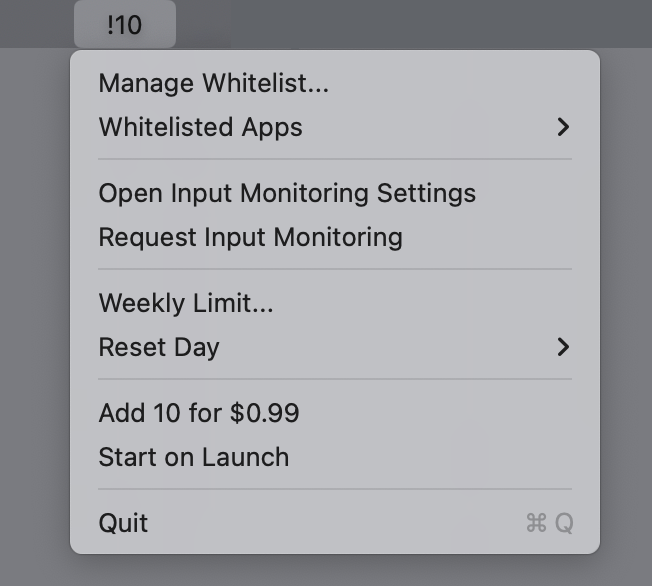
And because I thought it was funny, I added an option to purchase 10 more exclamation points for $1. I call it “getting more bang for a buck” but I’m not sure if people know that exclamation points are also called bangs. There’s no reason a person should ever use that feature. They can just quit the app if they need more exclamation points.
But in the 13 years since I first thought this up, my feelings around exclamation points have changed. Research has shown that women use exclamation points more than men, and the discussion around that is a bit complicated. Women are told to use fewer exclamation points in business communication. But the exclamation point is also seen as communicating a warmth and friendliness, as opposed to a bossy tone.
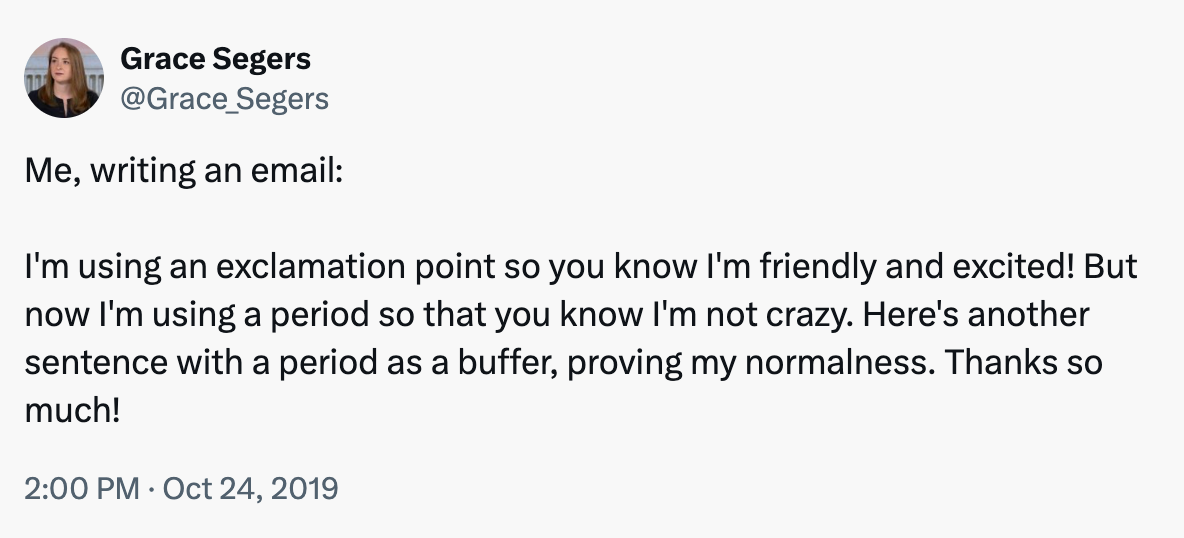
I don’t like that there’s a double standard around a punctuation mark. So I decided that this idea should be abandoned rather than add any bad feelings around how people communicate.
As The Onion reported:
In a diabolical omission of the utmost cruelty, stone-hearted ice witch Leslie Schiller sent her friend a callous thank-you email devoid of even a single exclamation point, sources confirmed Monday. “Hey, I had a great time last night,” wrote the cold-blooded crone, invoking the chill of a thousand winters with her sparely punctuated missive—a message as empty of human warmth as the withered hag’s own frozen soul. “Nice to get together. We should do it again sometime.”
One That’s Actually Incredibly Useful
I use Hazel for organizing and filing documents. It’s a program that watches my Downloads folder and scans for files that match rules I set up. For example, when Hazel sees a document that contains my electric bill account number, it renames the file and moves it into a certain folder.
I like putting dates in my filenames, like what month a bill is for, but Hazel is terrible at figuring out what date a document was sent. It can find a date, but doesn’t know if it’s a date of service or the send date or when a payment is due, etc.
And even though I have a bazillion rules, there are tons of things that fall through the cracks: service letters that don’t include my account number, or scans of drawings my kids made, or report cards I don’t have rules for, or greeting cards, etc. After six months, those leftovers add up.
Document analysis is something AI is very good at, so I hoped that Hazel’s next major version would somehow use AI to solve these problems. But then they released a new major version and it didn’t have that feature.
So I made my own version of AI Hazel. It’s set up very similarly to Hazel, but the rules are written in plain English. Each category gets a written description and examples to guide the AI.
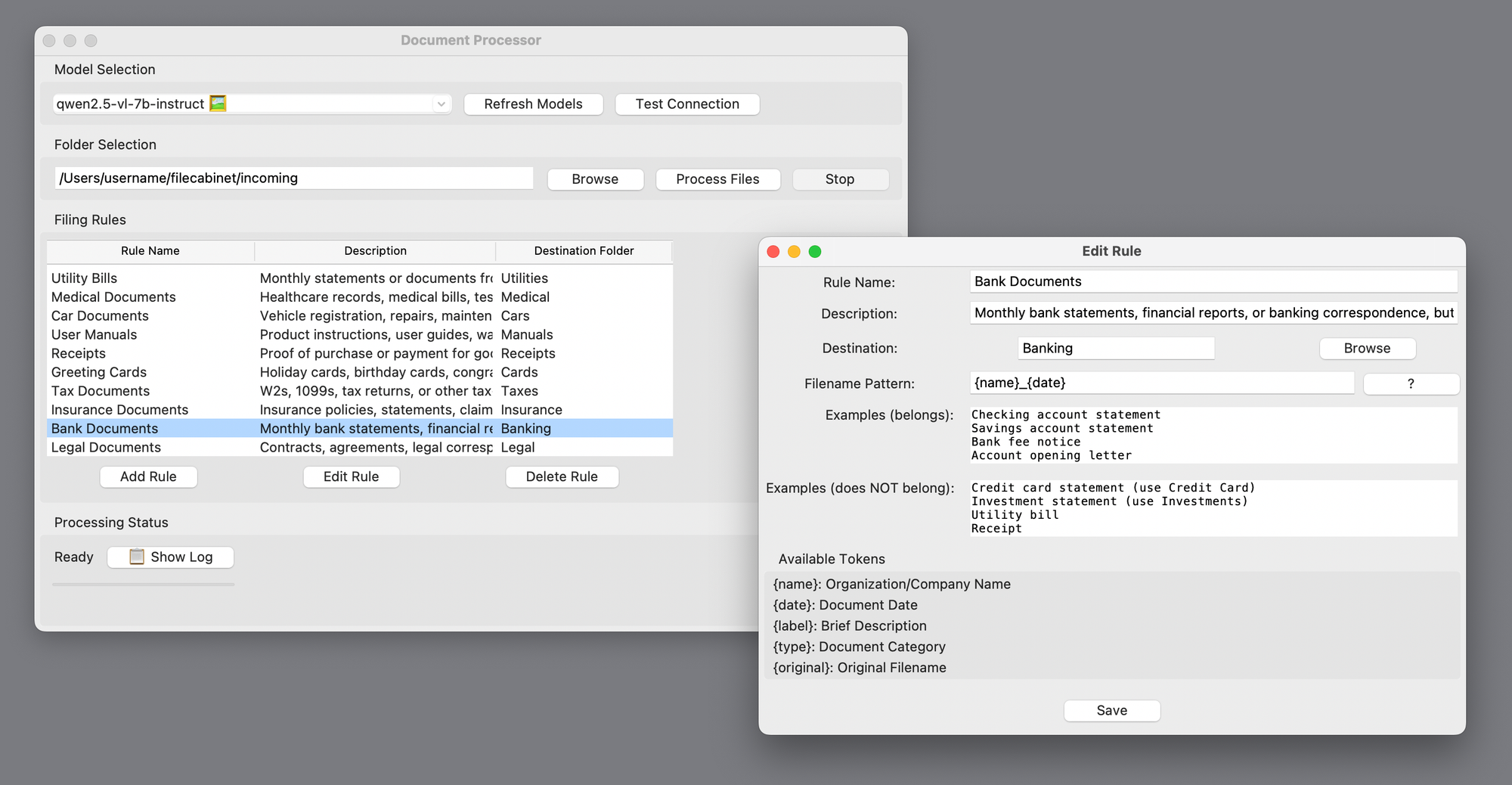
And here’s the most important part: Since these documents can include personal or sensitive information I wouldn’t want slurped up by the big AI companies, it runs entirely with a local LLM, which is good enough for this sort of task. It uses a combination of OCR and AI vision recognition for things like hand-written notes and photos. Nothing leaves my computer.
It’s slow, but it works pretty well. And it logs its reasoning behind each filing decision in case I need to adjust the rules.
This tool isn’t in the same “abandoned” category as the other apps above. It’s something made just-for-me that I won’t be distributing. I imagine this kind of vibe-coding use case where you just make your own version of the app you want, tailored to your particular needs, both excites and terrifies businesses.
Why I’m Done Writing About Vibe Coding
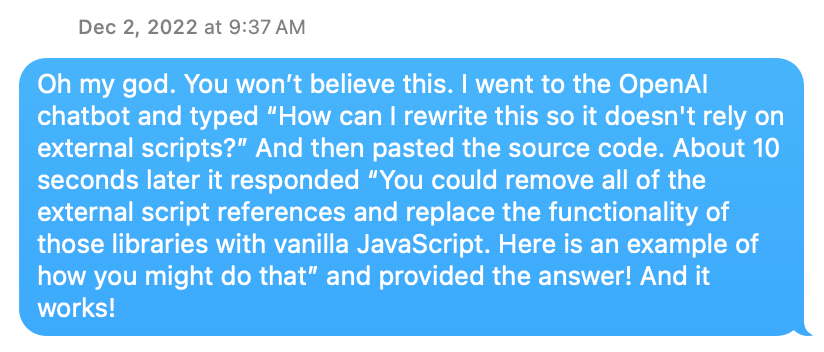
Literally two days after ChatGPT launched, I used it to fix some broken javascript on my website that I didn’t know how to fix myself, and I was amazed. Nobody called it vibe-coding yet, but that’s what it was. And I’ve been vibe-coding all kinds of projects ever since.
But the process has evolved a lot since then. I used to have ChatGPT write a bunch of code which I’d copy and paste in a text editor, then test, then report back what errors I get. Most of the time was spent arguing with it when it told me for the hundredth time that it fixed a bug that was clearly still there.
When I launched Gisnep, I wrote the whole story of how I developed it working with ChatGPT. I wrote a similar story when I launched DOOMscroll. The development process was as much a part of the story as the product idea itself.
But over the past few months, with the release of Claude Code and Codex, the process has become both much smoother and more opaque. (I was using tools like Cursor and Windsurf before that, but these feel like more of a turning point).
Working with those new tools, I’m rarely reporting back errors and more often getting exactly what I asked for, for better or worse. Now the conversation involves adding or refining features, or explaining misunderstandings. I don’t even see the code anymore. There are definite drawbacks, of course. I saw every line of code in Gisnep and that helped me understand how the site worked, even if I couldn’t have written the code myself. And for projects of high importance, I’m not sure how much I would trust vibe coding for things like security.
But for the kinds of silly projects I like to make, like the ones shown above, the process itself now feels beside the point. Vibe coding may not be a completely solved problem, but it doesn’t feel like magic anymore. So the how is no longer as interesting to me as the what and the why.
When word processors were new, it was cool to see how easily you could change fonts or make something bold or check your spelling with a click of a button. But now, I’m much more interested in what people are writing than the app they used to write it. Vibe coding tools are starting to reach the word processor stage for me.
I’m sure I’ll still be vibe-coding apps both stupid and useful, but unless there’s another seismic shift to nerd out about, I don’t think I’ll be gushing about the process anymore and focusing instead on what I’m making.

And that’s it for another newsletter! I’ve had a huge influx of new subscribers since the last one, so to all of you I say, welcome!
The last issue was about art. This one is a bit more tech focused. Mix in a bit of popular and unpopular culture, and I think you get a sense of the range of topics of this newsletter. I hope you stick around and enjoy it! I try to make most of my topics evergreen, so poke around and get lost in the archives. Let me know what kinds of things you want to see more of.
Oh man, just this little conclusion alone has three exclamation points.
Thanks for reading. See you next time!
(That’s four)
David
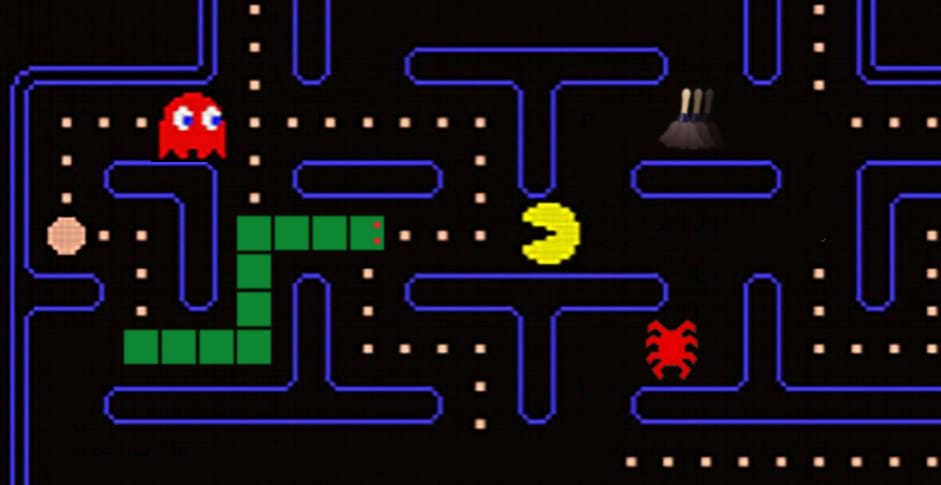
P.S. I made the header image at the top of this newsletter after I wrote it, but now I really am wondering what an actual Snake/Pac-Man mashup would be like, where Pac-Man is replaced by a snake, and maybe the snake would get longer each time it eats a power pellet or a ghost, making it harder to avoid them. Somebody stop me before I go make this.
UPDATE: You didn’t stop me!